What Are URL Parameters? Tracking, Filtering, and Safe URL Design
Shusaku Yosa
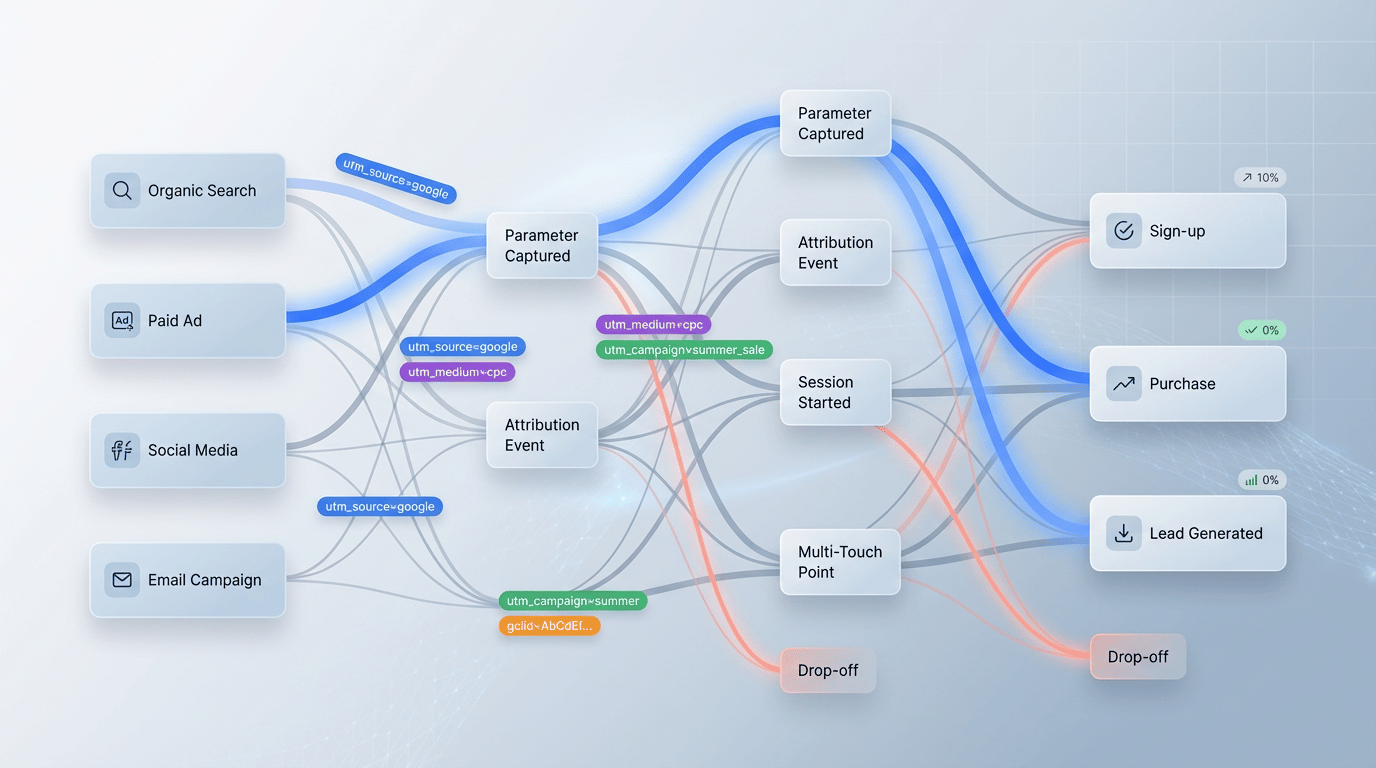
URL parameters are additional values carried in a URL. They commonly appear in a query string after a question mark and can specify filters, page numbers, campaign information, or application inputs. UTM parameters are a convention for identifying traffic sources; not every parameter is a UTM value or a tracking value.
Before adding or deleting one, decide whether it changes content, identifies a campaign, or supports an application operation. Shortening an address by removing unfamiliar values can break the page or its authorization. This guide covers web operations rather than the broader programming meaning of a parameter.
Query strings, paths, and fragments
A query string commonly uses name=value pairs separated by an ampersand. A question mark starts the query. A hash introduces a fragment, which is not normally sent as part of an HTTP request to the server. Browser scripts can still read it, so a fragment is not a safe container for confidential information.
Element | Example purpose | Operating consideration |
|---|---|---|
Path | Identify a page or resource | Changing it may require migration and link updates |
Query parameter: page=2 | Choose a listing page or filter | Can change the content |
UTM value: utm_source=newsletter | Identify a campaign source | Can change reporting without changing content |
Fragment | Identify a section or client-side state | Check how the specific implementation handles it |
Encode characters appropriately when values contain spaces, symbols, or non-ASCII text. URL encoding and XML escaping are different tasks. Avoid duplicate parameter names unless the application explicitly defines their behavior. When a URL already contains a query, add another pair with the correct separator rather than another question mark.
Choose UTM fields from the reporting question
Use Google's campaign URL documentation to select fields. The familiar five UTM names are not the complete supported set. Also distinguish a documented field from a field that GA4 currently reports in a property.
Parameter | Purpose | Fictional example or caveat |
|---|---|---|
utm_source | Identify the source | newsletter or partner_a |
utm_medium | Describe the medium | email, cpc, or paid_social |
utm_campaign | Name the initiative | autumn_guide_2026 |
utm_id | Identify the campaign | campaign_026 |
utm_source_platform | Identify the source platform | A consistently defined platform name |
utm_term | Provide a manually tagged term | Use an agreed advertising definition |
utm_content | Distinguish a link or creative | header_button or text_link |
utm_creative_format / utm_marketing_tactic | Describe format or tactic | Currently not reported in GA4 properties, according to the documentation |
Your organization might require source, medium, and campaign as its normal minimum. That is a governance choice, not a statement that every available field is always mandatory. Values are case-sensitive: Newsletter and newsletter can produce separate values. A different value does not necessarily mean a different channel classification, which uses its own rules.
Automatically generated advertising click identifiers are not interchangeable with UTMs. Do not copy a real click ID into other links or invent one manually. Check the advertising platform's tagging and integration requirements. Likewise, not every identifier added to a social-platform link is exclusively an advertising identifier.
Maintain a naming table for each distribution route
The following examples are fictional. Keep distribution route and link placement in separate fields when you want to compare them independently. Lowercase ASCII values can simplify governance, but that convention does not mean all non-English values are technically invalid.
Route | Source and medium | Campaign and content |
|---|---|---|
Newsletter | newsletter / email | autumn_guide_2026 / header_button |
Search advertising | Check automatic tagging and platform requirements | Align with the advertising campaign identifiers |
Organic social post | linkedin / social | autumn_guide_2026 / post_a |
Paid social creative | Platform name / paid_social | autumn_guide_2026 / creative_a |
Printed QR code | event_leaflet / qr | autumn_guide_2026 / back_cover |
This fictional newsletter campaign URL uses an example domain, not a real distribution destination. Preserve required content or application parameters when adding tracking. Test the final destination before release.
Record the destination page, owner, distribution date, UTM values, final address, and verification date. Retain the original record after creating a short link or QR code. Expiry rules and editable redirects can change where a previously printed link goes.
A campaign change does not necessarily start a GA4 session
In GA4, encountering a new campaign during an existing session does not itself start another session. Do not carry over Universal Analytics assumptions. Google's campaign and traffic-source documentation explains the distinction.
This does not make UTMs a good choice for every internal button. Internal campaign values can complicate attribution and the interpretation of event-related source information. For internal calls to action, consider click events with meaningful placement parameters instead. See the Google Tag Manager introduction for implementation responsibilities and the conversion guide for defining successful outcomes.
When testing, account for consent, destination properties, duplicate events, and session-versus-event scope. A private browser window does not necessarily bypass an internal-traffic exclusion. An IP-based condition, for example, can remain unchanged when the browser window changes.
Handle search visibility according to the content
If only tracking values differ and the main content is equivalent, the underlying content address can be the canonical preference. Filters, search results, and page numbers need individual decisions when they change what the page contains. Do not automatically consolidate page two into page one. The canonical settings guide explains these cases.
The old Search Console URL Parameters tool was retired in 2022. Google's retirement announcement means it should no longer appear as a current operating instruction. Address URL generation, internal links, canonical signals, and relevant access controls in the implementation instead.
Align XML sitemaps with public canonical URLs using the sitemap verification workflow. There is no universal number of parameters above which a URL becomes spam. When combinations generate many near-identical pages, inspect the actual content and discovery paths.
Keep personal and confidential information out of URLs
Do not put email addresses, phone numbers, names, or authentication tokens into analytics parameters. URLs can persist in history, logs, shared links, and referral information. Hashing a name does not automatically make it appropriate to place in a URL. Follow Google's guidance on preventing personally identifiable information from entering Analytics.
Identity design is a separate task. Confirm its purpose, consent requirements, identifier conditions, and destinations rather than adding personal information to a campaign link. Comparing campaign performance does not require making the recipient identifiable from the visible address.
A fictional release acceptance check
Suppose the newsletter contains a header button and a text link to the same guide. Both use the same source, medium, and campaign, while content distinguishes their placement. Confirm that each link opens the guide, retains its intended values through any redirect, and reaches the correct analytics destination under the relevant consent conditions.
If one placement produces more clicks, do not immediately call it more persuasive: position, visibility, audience exposure, and repeat clicks can differ. Compare qualified outcomes with a defined denominator and attribution window. Keep this interpretation separate from the technical finding that the parameters were transmitted correctly.
Check the full journey before distributing the link
- Separate content, processing, and measurement values.
- Match spelling and capitalization to the naming inventory.
- Check encoding and remove unintended duplicate fields.
- Verify the intended page and values after shortening, redirecting, or scanning a QR code.
- Exclude personal data, secrets, and reused click identifiers.
- Test under the actual consent and exclusion conditions.
Record the reporting period and metric scope as well as the URL. A value arriving successfully is one measurement check. It does not, by itself, establish that the campaign produced useful enquiries, registrations, or revenue.